
Video has become one of the most powerful tools in the eLearning toolkit. Whether you’re creating scenario-based training, product walkthroughs or expert-led presentations, well-produced video can dramatically improve learner engagement and knowledge retention. Research consistently shows that learners remember significantly more from video-based training than from text alone.
But here’s the thing: not all video is created equal. A shaky camera, poor audio or a rambling script can actually do more harm than good. Learners are used to consuming high-quality video content every day, and when your training video falls short of that standard, their attention drops and your message gets lost.
This guide walks you through the key stages and considerations involved in producing professional video for eLearning, from initial planning all the way through to post-production and delivery.
Why invest in professional video?
It’s tempting to think you can get away with a quick screen recording or a selfie-style video shot at your desk. And sometimes that’s perfectly fine for informal content. But when you’re producing video that represents your organisation, supports compliance training or forms part of a structured learning programme, production quality really matters.
Professional video brings several benefits to your eLearning content:
- It builds credibility and trust with your learners, signalling that the organisation takes their development seriously.
- It reduces cognitive load by presenting information clearly, with good visuals and clean audio that don’t distract from the learning.
- It creates consistency across your training library, giving your content a polished and cohesive feel.
- It supports accessibility, as professionally produced video is more likely to include accurate captions, transcripts and thoughtful visual design.
- It has a longer shelf life, because well-planned content is easier to update and repurpose over time.
In short, investing in quality upfront can save you time and money down the line, and it delivers a better experience for your learners.
Pre-production: where the real work happens
If there’s one thing that separates a great eLearning video from a mediocre one, it’s the quality of the planning that goes into it. Pre-production is where you lay the foundations for everything that follows, and cutting corners here almost always leads to problems later. Pre-production for learning content is usually led by an instructional designer.
Define your learning objectives
Before you even think about cameras or scripts, get clear on what you want the learner to be able to do after watching the video. Strong learning objectives keep your content focused and prevent you from trying to cram too much into a single video. If your objectives are broad, consider breaking the content into a series of shorter, more focused videos instead.
Know your audience
Understanding who your learners are will shape every decision you make, from the tone of your script to the style of your visuals. Consider their existing knowledge, the devices they’ll be watching on and any accessibility requirements. A video aimed at experienced healthcare professionals will look and sound very different from one designed for new retail employees, for example.
Choose the right format
There are many different video formats you can use in eLearning, and the best choice depends on your content and your audience. Here are some of the most common options:
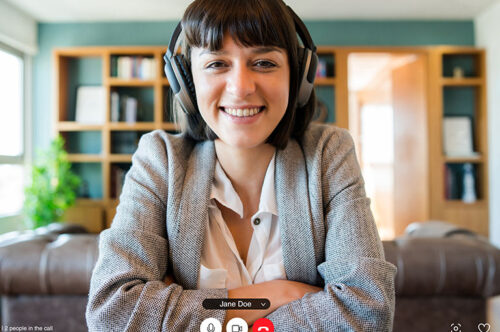
- Talking head videos, where a presenter speaks directly to camera. These are great for building a personal connection with learners and work well for introductions, expert insights or motivational content.
- Screen recordings and software demos, ideal for showing learners how to navigate a system or complete a digital task step by step.
- Scenario-based videos, where actors or employees role-play real workplace situations. These are particularly effective for soft skills training, compliance and customer service.
- Animated explainer videos, which use motion graphics or character animation to explain complex concepts in a visually engaging way.
You might also consider a blended approach, combining two or more of these formats or use video within an interactive eLearning course to keep things varied and interesting for the learner.
Write a strong script
Your script is the backbone of your video. A good script keeps the content focused, the language clear and the pacing tight. Write in a conversational tone and keep your sentences short. As a rough guide, aim for around 150 words per minute of finished video, which gives a comfortable speaking pace without feeling rushed.
If you’re working with subject matter experts, involve them early in the scripting process so their input is captured before you get to the filming stage. It’s much easier (and cheaper) to make changes to a script than to re-shoot footage.
Storyboard your content
A storyboard is a visual plan that maps out what the learner will see and hear at each point in the video. It doesn’t need to be a work of art. Even simple sketches alongside your script notes can help you think through transitions, camera angles and on-screen graphics before production begins. Storyboarding is especially valuable when you’re working with a production team, as it ensures everyone shares the same vision for the finished product.
Production: lights, camera, action
With your planning done, it’s time to start filming (or recording, or animating, depending on your chosen format). Here are the key things to get right during the production stage.
Invest in good audio
This might be the single most important piece of advice in this entire guide. Learners will forgive slightly imperfect visuals, but poor audio is an instant turn-off. Background noise, echo and muffled speech all make it harder for learners to concentrate, and they significantly increase cognitive load.
If you are doing the filming yourself invest in a dedicated external microphone rather than relying on a built-in camera or laptop mic. A clip-on lapel mic is a relatively inexpensive option that makes a huge difference to audio quality. If you’re recording voiceover narration, find a quiet room with soft furnishings to reduce echo and background noise.
Get your lighting right
Good lighting is what separates amateur-looking footage from professional content. Natural light can work well, but it’s unpredictable, so if you’re filming over multiple takes or sessions, you’ll want a consistent lighting setup. A simple three-point lighting arrangement (key light, fill light and back light) will give you clean, well-lit footage without harsh shadows.
Keep it stable
Nothing says “unprofessional” quite like shaky footage. Use a tripod for any static shots, and if you need to move the camera, invest in a gimbal or stabiliser. Smooth, steady footage is easier to watch and keeps the focus on your content rather than your camera work.
Consider your setting
Your filming location matters more than you might think. A cluttered or distracting background pulls the learner’s attention away from the content. Choose a clean, uncluttered space that suits the tone of your training. If you’re filming in an office, tidy the background and check for any distracting elements like flashing screens or people walking past.
Direct your presenter
Not everyone is a natural on camera, and that’s fine. Give your presenters time to practise, encourage them to speak naturally rather than reading verbatim from a script, and remind them to look directly at the camera to create a sense of eye contact with the viewer. If you’re using a teleprompter, make sure the speaker has rehearsed enough that the delivery feels conversational rather than robotic. For scenario-based content, consider hiring professional actors, as the difference in quality can be significant.
Post-production: polishing the final product
Post-production is where your raw footage becomes a finished learning asset. This stage involves editing, adding graphics and titles, mixing audio and ensuring everything works together to create a seamless viewing experience.
Edit with the learner in mind
When editing, always keep the learner’s experience at the centre of your decisions. Cut anything that doesn’t directly support the learning objectives. Keep the pacing brisk but not rushed, and use transitions sparingly. Jump cuts, cross-fades and other effects should serve the content, not show off your editing skills.
Add on-screen text and graphics
Text overlays, annotations and lower-thirds (those name bars you see in interviews) can reinforce key messages and help learners follow along. Motion graphics and simple animations can also be used to illustrate concepts that are hard to show on camera. Just be careful not to overload the screen with too much information at once.
Get the audio mix right
Balance your voiceover or dialogue with any background music so that the speech is always clear and easy to understand. Background music can set the tone and pace of your video, but it should never compete with the narration. Keep it subtle and ensure it fades out during key moments.
Colour grade for consistency
If you’ve filmed across multiple sessions or locations, colour grading will help give your footage a consistent look and feel. Most video editing software includes basic colour correction tools that let you match the tone, brightness and contrast across different clips.
Accessibility and inclusivity
Accessibility should be built into your video production process from the start, not treated as an afterthought. Here are the essentials:
- Add accurate captions and subtitles to every video. Auto-generated captions are a good starting point, but always review and edit them for accuracy, especially for technical terms or industry-specific language.
- Provide transcripts so that learners can read the content if they prefer, or if they’re in an environment where they can’t use audio.
- Use high-contrast visuals and avoid relying solely on colour to convey meaning. This helps learners with visual impairments or colour blindness.
- Avoid rapid flashing or overly busy animations that could cause discomfort for some viewers.
- Ensure your video player supports keyboard navigation and works well with screen readers.
Meeting accessibility standards like WCAG isn’t just about compliance. It’s about ensuring that all of your learners can engage with your content fully and effectively.
Keeping learners engaged
Even the most beautifully produced video will fall flat if it doesn’t hold the learner’s attention. Here are some strategies to keep engagement high.
Keep it short
Research shows that learner attention drops significantly after the five-minute mark. For most eLearning content, aim for videos between two and five minutes. If your topic requires a longer treatment, break it into a series of shorter videos that each focus on a single concept or learning outcome. This microlearning approach also makes your content easier to update when things change.
Build in interactivity
Passive viewing is the enemy of learning. Look for opportunities to pause the video and prompt the learner to do something, whether that’s answering a question, making a decision in a branching scenario or reflecting on what they’ve just watched. Many eLearning authoring tools, including Articulate Storyline, support embedding video alongside interactive elements, so you can create a rich, blended experience.
Tell a story
Humans are wired for stories. Whenever possible, frame your content within a narrative. This could be as simple as following a character through their working day and showing how the training topic applies in real situations. Story-based learning helps learners connect emotionally with the content and makes it far more memorable than a straightforward information dump.
The role of AI in video production
Artificial intelligence is changing the video production landscape rapidly. AI-powered tools can now generate realistic voiceovers in multiple languages, create synthetic presenters (sometimes called AI avatars), automate captioning, and even assist with scriptwriting and editing.
These tools can be incredibly useful for scaling video production, reducing costs and speeding up turnaround times, particularly for organisations that need to produce large volumes of training content or localise videos for global audiences.
However, it’s worth approaching AI-generated video with a critical eye. As these tools become more widespread, there’s a growing concern about what some in the industry are calling “AI slop”: generic, low-quality content that’s quick to produce but fails to engage learners. The key is to use AI as a tool to support your production process, not as a replacement for thoughtful instructional design and creative storytelling.
Working with a production company vs. doing it in-house
One of the biggest decisions you’ll face is whether to produce your videos in-house or partner with a professional production company. Both approaches have their merits.
Producing video in-house gives you more control over the process, faster turnaround for simple content and lower per-video costs once you’ve invested in equipment and training. It’s a good option for screen recordings, short talking head videos and informal content that doesn’t need a high level of polish.
Working with a production company, on the other hand, gives you access to professional equipment, experienced crews, actors and editors who can deliver broadcast-quality results. This is usually the better route for scenario-based content, high-profile training programmes and any video that will represent your organisation externally.
Many organisations find that a blended approach works best: handling simpler content in-house while outsourcing more complex or high-stakes productions to specialists.
Quick tips for success
Here are a few final thoughts to keep in mind as you plan your next eLearning video project:
- Plan thoroughly before you press record. The more work you do in pre-production, the smoother everything else will be.
- Prioritise audio quality above everything else. Learners will forgive a lot, but not bad sound.
- Keep your videos short and focused. One clear learning outcome per video is a good rule of thumb.
- Build accessibility in from the start, including captions, transcripts and inclusive visual design.
- Use interactivity to turn passive viewing into active learning.
- Review and update your video library regularly to keep content accurate and relevant.
- Test your videos with a small group of learners before rolling them out widely, and use their feedback to make improvements.
Professional video production for eLearning
Professional video production for eLearning doesn’t have to be intimidating or prohibitively expensive. With careful planning, attention to a few key technical fundamentals and a clear focus on your learners’ needs, you can create video content that genuinely supports learning and makes a real impact on performance.
Whether you’re shooting on a smartphone in a meeting room or working with a full production crew in a studio, the principles are the same: start with strong learning objectives, write a clear script, keep the learner at the centre of every decision and never underestimate the power of good audio.
Video is only going to become more important in eLearning as learner expectations continue to rise and new technologies open up exciting possibilities. The organisations that invest in getting it right now will be the ones that stand out from the crowd.